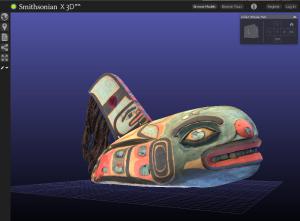
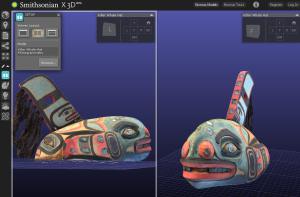
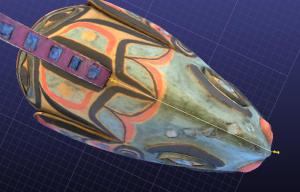
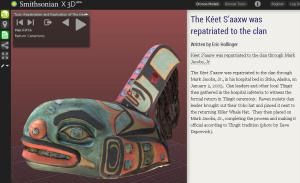
Today the Smithsonian is releasing the debut of its new 3D Digitization Collections on its web page Smithsonian X 3D (beta). This is a new way to curate the collections of the Smithsonian, not just through 2D pictures but also through 3D interactive images. Imaging like this will revolutionize how students visit the Smithsonian and interact with the collections.
First, a disclaimer, you will need 3D viewing capability on your web browser to see the images I'm talking about. If you have the newest version of Firefox or Google Chrome you'll be fine, and it works with Safari as well. I found that even though I have the newest version of Firefox that my 3D WebGL was not enabled. If you need help enabling the feature check out this super helpful website https://www.biodigitalhuman.com/home/enabling-webgl.html for some simple steps. This page from SI shows you the prerequisites http://3d.si.edu/article/prerequisites.
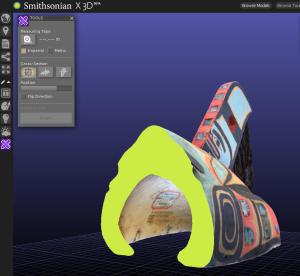
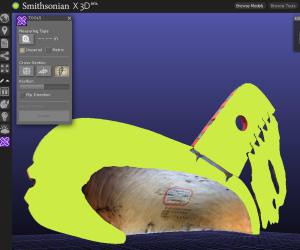
To make images 3D scanners use technology that uses a series of points or the pointcloud to create a three dimensional graphic (there is a pointcloud library project online here). The thousands of points scanned for each object, especially complex objects, means that it's too large a data set to share with most computers. Instead, the 3D scanner creates a series of interconnected polygons, similar to what you see in video games (this is in part why characters look so angular). These polygons are less complex and they can be layered and bent to create a 3D object, even down to the finest detail, which you can see on the different artifacts on the SI site, from the intricate carvings on the headless Buddha statue to the life mask of Lincoln. The images for this project were done using a form of CT scan. This allows users to actually see sections of teach object (though not the internal detail).
Watch the SI video about 3D scanning here: http://www.youtube.com/watch?v=AWoqTGEw7WA. You can learn about the laser coders and arms they use to make these scans.
On the Smithsonian X 3D website you can choose an object from one of the museums. It takes a while to load because the images files are large. I would start with the tutorial about the tools available here http://3d.si.edu/article/getting-started. Once up you can do the following with the image:
The collection scanned so far includes hundreds of items, but the ones you can interact with right now are limited, but it will be growing. These images could be supplements to teaching, like looking at the Wright Brother's plane in detail or checking out the blue crab's anatomy. If you want to up your game there are several free or inexpensive 3D scanning apps available for iPhones and Android that you could use in your classroom. If you are a researcher think of the ability to share bones and artifacts with other researcher and classrooms around the world!
For those with 3D printers you could upload the pointcloud images, or from the library linked to earlier, and create an exact replica of the artifact for your classroom!
10 Science and Nature Experiments to do While at Home Finding Science Around Your…
Identifying A Baby Owl Baby Owl ID I sometimes get called to help with the…
Silverfish in Your House Silvery Silverfish and Nocturnal Munchies If you're like me, you get…
River Otter Poo-pori of Facts North American river otter (Lontra Canadensis): Photo- Publicdomainpictures.net) Things You…
Spiny Spiders of Fall What is that Spiny Spider? There's magic to fall, and the…
What do Dragonflies Eat? A Story of Prehensile Jaws, Butt Propulsion, and Biting Mouth Bits…